Glassdeck

A deck of live keys on the tablet you already own

Glassdeck turns an old iPad or Android tablet into a control deck for your Windows PC. Launch apps, run your lights and music, and see which of your Claude Code sessions is waiting for you. Nothing to install on the tablet.

Not released yet. Windows only for now. Free for one device.

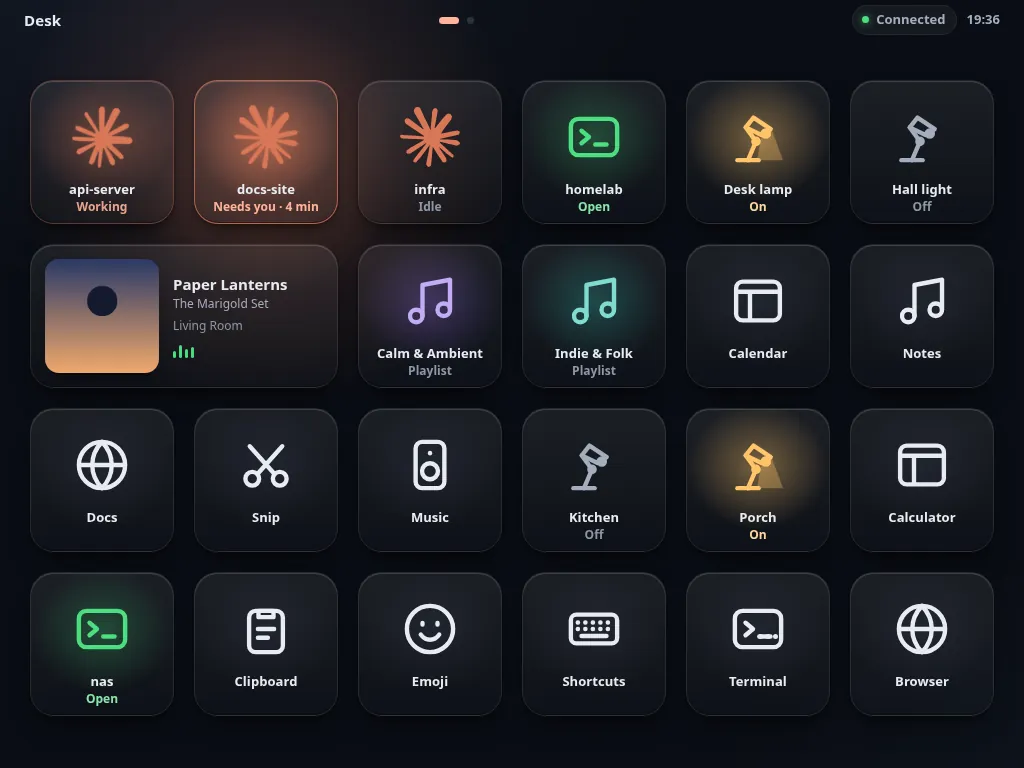
A Glassdeck page on an iPad: a grid of glass keys. Two Claude sessions glow coral, one marked Working and one Needs you; an SSH key is green; a desk lamp key glows warm; music keys show the track playing.

What it does

Keys that never lie

A key lights up only when something is actually true: a session is waiting, the lamp is on, a song is playing. When Glassdeck can't find out, the key says so with a question mark instead of guessing.

Claude Code sessions that call you

One key per session. It shows working, idle or waiting on you, and when a session needs an answer its key rings and the rest of the board dims. Look up from your editor, see which one it is.

Home Assistant

Lights show their real state and toggle with a tap. Point Glassdeck at your own Home Assistant with a URL and a token; it talks to it directly on your network.

Music and media

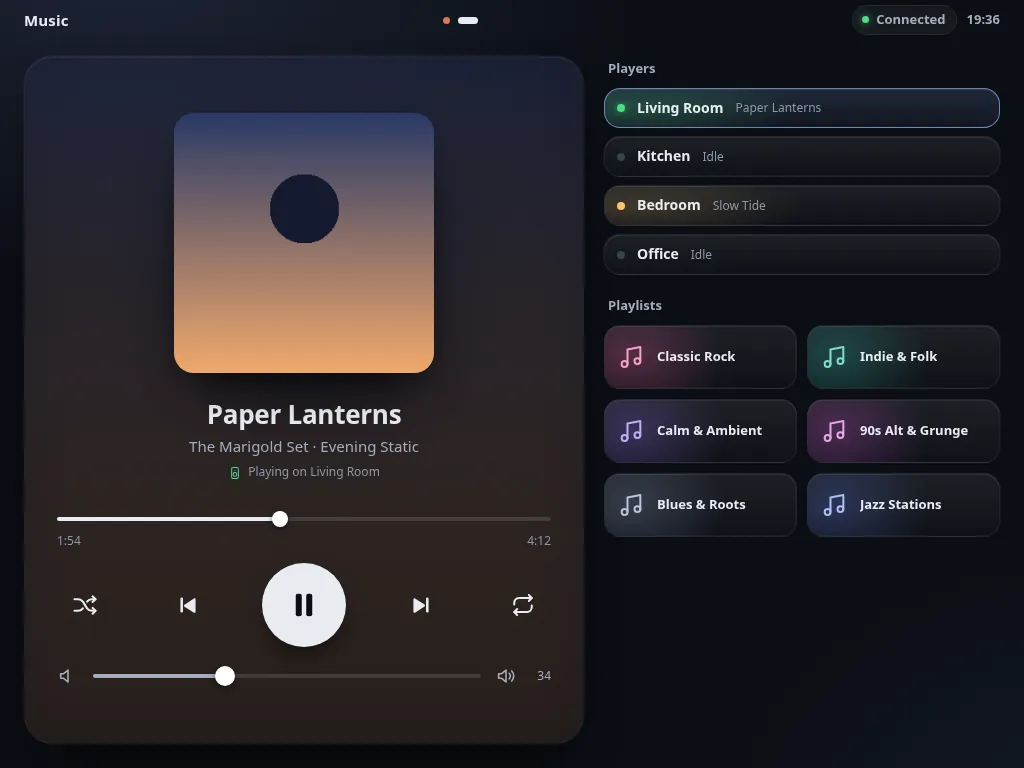
Now-playing keys with cover art, playlist keys and a full player page with volume and seek, for your Music Assistant players.

Launchers and shortcuts

Open apps, websites and SSH sessions, send keyboard shortcuts, and flip between pages of keys. The free tier has these.

Self-hosted apps: coming

These are planned for Pro and are not built yet. I'd like to know which ones you'd use first; the signup form asks.

SonarrComing
RadarrComing
PlexComing
OBSComing
SteamComing

Any tablet, zero install

If it has a browser, it's a deck

The deck is a web page served by Glassdeck on your PC. The old iPad in a drawer works, so does an Android tablet or a Fire tablet.

  1. Run Glassdeck on your PC. It's a small Windows app that sits in the tray.
  2. Open its address on the tablet. Same home network, no app store, no account.
  3. Add it to the Home Screen. It opens full screen like an app.
iPad (iOS 12 and later)Android tabletsFire tabletsAny phone
The Music page on a tablet: now-playing card with cover art, volume and seek controls, and playlist keys.
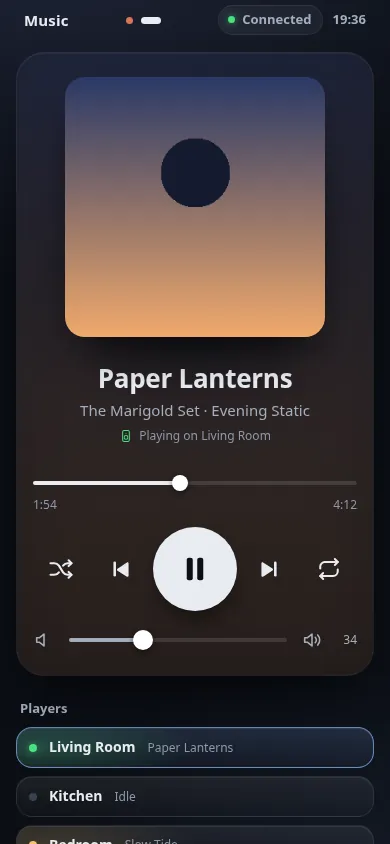
The same Music page on a phone-sized screen.

Edit on the device

Build your pages where you use them

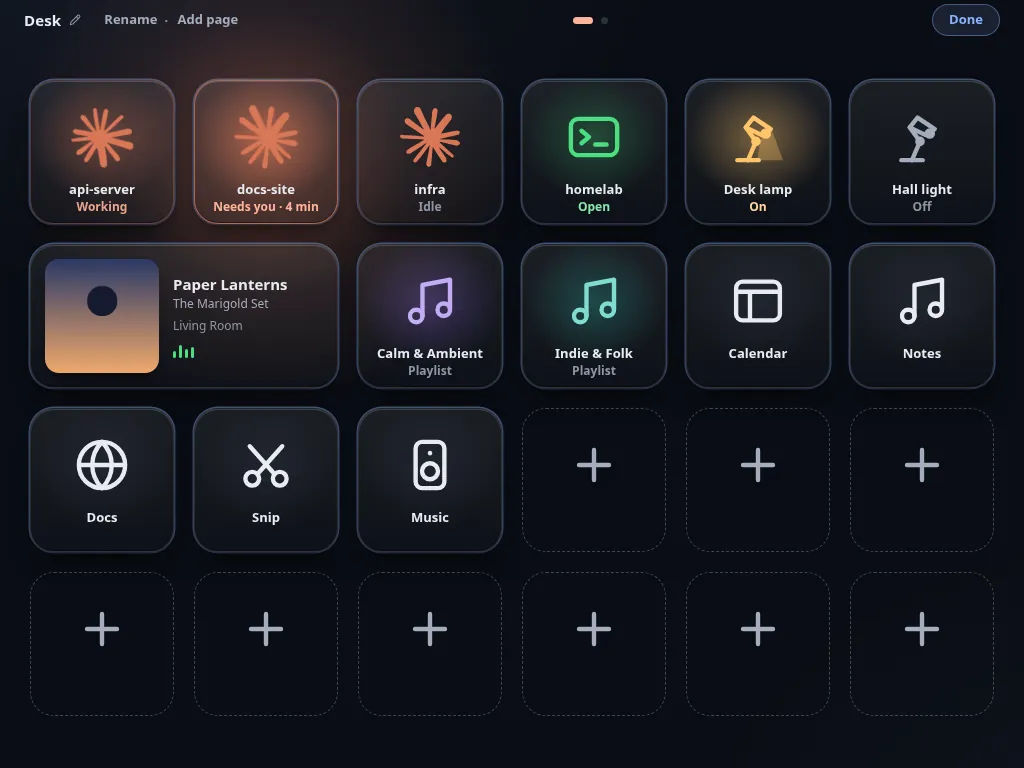
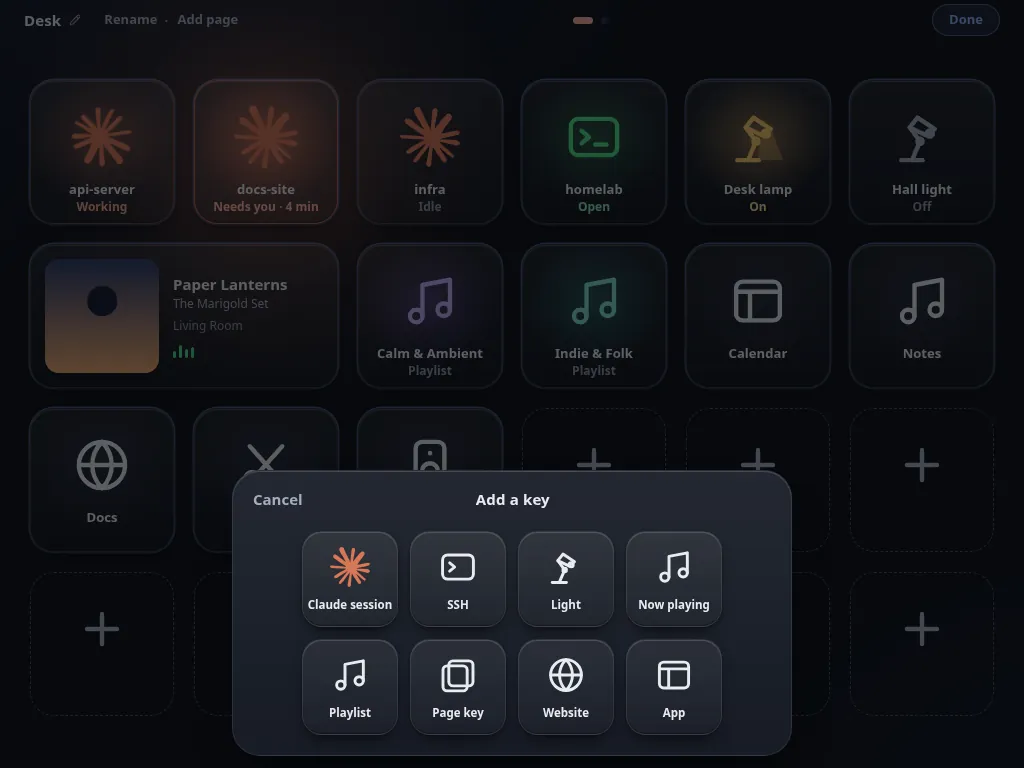
Tap Edit, tap an empty slot, pick what the key does. Rename and add pages the same way. No config file open on your PC.

Edit mode: the board with every key outlined and empty slots shown as plus signs.
Edit mode: empty slots are one tap away.
The Add a key sheet listing key types: Claude session, SSH, Light, Now playing, Playlist, Page key, Website and App.
Pick a key type from the Add a key sheet.

Pricing

Free to try, one payment for Pro

No subscription. Pro early access is a one-time $24 while the Windows app is being finished.

Free

$0forever
  • 1 device
  • 2 pages
  • Core keys: app launch, keyboard shortcuts, page keys, SSH, lamp
  • No integrations (Claude, Home Assistant, media, self-hosted apps)
Get notified at launch

Pro Early access

$24normally $29one-time, includes 1 year of updates
  • Unlimited devices and pages
  • All integrations: Claude Code sessions, Home Assistant, Music Assistant, and the self-hosted apps as they ship
  • The Android companion when it exists, free with Pro
  • 30-day refund
Join the early access

Not charged yet: for now this joins the waitlist. You'll get the checkout link before anything is billed.

An Android companion app is planned for later, only if enough people want it. It will be a free download that picks up your PC's Pro licence.

Early access

Join the early access

One email when there's something to try, and the odd product update. That's all it's used for.

What would you use it for?

FAQ

Straight answers

Can I use it today?

Not yet. The deck works for me, and I'm turning it into something other people can install. Early access means you join now, you get the Windows installer first when it's ready, and Pro early access gets the lower price. Expect rough edges.

Is it Windows only?

For now, yes. The app that runs on your PC is Windows only, because that's where it launches programs and sends keystrokes. The tablet or phone you use as the deck can be anything with a browser.

Does anything leave my network?

Glassdeck runs on your PC and your tablet connects to it over your home network. There's no Glassdeck cloud and no account. Your keys, sessions and app data stay on your network; integrations only talk to the services you point them at, such as your own Home Assistant. It does not work away from home yet.

What's your refund policy?

30 days. If Pro isn't for you, email me within 30 days of buying and I'll refund the full amount.

What happens after the first year?

You keep your licence and the version you have. Updates beyond the first year are optional, and I haven't set a price for them yet.

Does it work with Claude Code on my machine?

Yes, that's what the Claude keys are for. Glassdeck is an independent project and isn't made by or affiliated with Anthropic.